
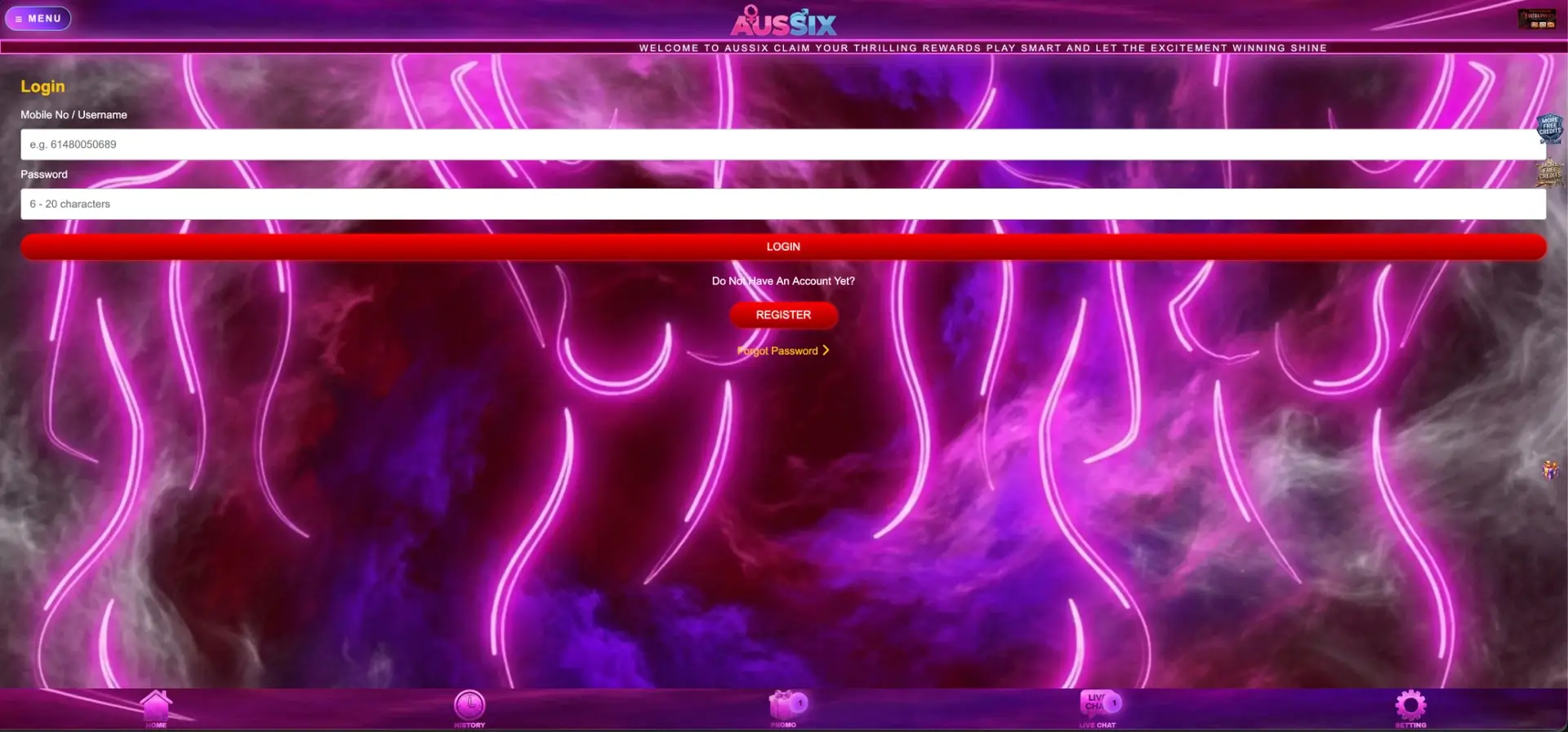
The AusSix login button sits in the balance panel on the right of the lobby, next to Register, and opens a form with two fields: Mobile No / Username and a password of 6 to 20 characters. The mobile number is entered in international format without the plus sign or leading zero - 614XXXXXXXX rather than 04XX XXX XXX. If the password is lost, the Forgot Password link under the form restores access; if sign-in still fails, Live Chat in the bottom bar handles the rest.
Most login problems at AusSix come down to a handful of causes, and each one has a quick fix.
| Situation | What to do |
|---|---|
| Forgot password | Tap Forgot Password under the Login button and follow the reset steps |
| Number not recognised | Enter it as 614XXXXXXXX - country code 61, no plus sign, no leading 0 |
| SMS code not received | Wait a minute, check signal and blocked senders, then request the code again |
| Password rejected | Check caps lock and length - the password must be 6–20 characters |
| Account blocked or locked | Contact Live Chat from the bottom bar with the registered mobile number |
| Site does not open | Use a saved bookmark or ask Live Chat for the current address |
Whatever the cause, opening a second account is never the fix: it breaks the one-account rule and can void bonuses on both.
AusSix login on a computer
On desktop, the lobby shows the login panel in the right-hand column, under the promotional banners. The steps take less than a minute.
- Open AusSix from a saved bookmark.
- Click Login in the balance panel on the right.
- Enter the mobile number in 614XXXXXXXX format, or the username.
- Enter the password (6–20 characters).
- Click the red Login button.
- Check that the balance panel now shows the AUD balance and the Deposit, Withdraw and Refresh buttons.
After signing in, the minimum deposit (AUD 10) and minimum withdrawal (AUD 30) appear in the same panel, which confirms the account is active.
Signing in on a smartphone
The mobile layout puts the Menu button at the top left and a five-tab bar at the bottom: Home, History, Promo, Live Chat and Setting. The login form is the same as on desktop.
- Open the site in Safari or Chrome, or tap the home screen shortcut.
- Scroll to the balance panel or open the Menu and choose Login.
- Type the mobile number in 614XXXXXXXX format.
- Type the password and tap Login.
- Let the browser save the password only on a personal phone.
On a phone, autofill sometimes adds a space or a leading zero to the number. Typing the number manually once usually solves an unexplained login error.
Restoring access
The Forgot Password link sits directly under the Register button on the login page. Recovery is tied to the mobile number, because that is the identifier used at sign-up.
- Open the login page and tap Forgot Password.
- Enter the mobile number registered to the account.
- Request the verification code and wait for the SMS.
- Enter the code and set a new password of 6–20 characters.
- Sign in with the new password and check the balance and History tab.
If the registered number is no longer in use, the reset code cannot arrive. In that case Live Chat can confirm ownership of the account using the full name and the bank account details on file.
Why the AusSix login fails
An error at sign-in usually points to one of four causes. Working through them in order solves most cases without contacting support.
Wrong number format
The login field expects the number in the same format used at registration - the example in the form is 61480050689.
- Start with 61, not +61 or 0.
- Remove spaces and dashes.
- Check that no digit was dropped by autofill.
Password issues
Passwords are case-sensitive and must be 6 to 20 characters long.
- Check caps lock and the keyboard language.
- Avoid copying the password with a trailing space.
- Use Forgot Password after two failed tries rather than guessing repeatedly.
SMS code delays
Verification codes are sent by SMS through the GET CODE button. Delays are usually on the network side.
- Wait 60 seconds before requesting a new code.
- Check that the phone has signal and is not filtering unknown senders.
- Use only the most recent code - older ones expire.
Site address
Casino domains in Australia change from time to time, because the ACMA asks internet providers to block online casino sites. A page that does not load is often an old address rather than a problem with the account.
- Ask Live Chat or the official Telegram channel for the current address.
- Update the bookmark once the new address is confirmed.
- Never enter the password on an address found through an ad or a forwarded message.
Protecting the AusSix account
An AusSix account holds money and is linked to a bank account name, so the login deserves the same care as online banking.
- Official address - open the site from a bookmark or a link confirmed in Live Chat.
- Copycat pages - a page that asks for bank login details or for the SMS code outside registration is not the casino.
- Unique password - 6–20 characters, not reused on any other site.
- SMS codes - never share them, even with someone who claims to be support.
- Shared devices - log out after play and do not let the browser save the password.
One person, one account
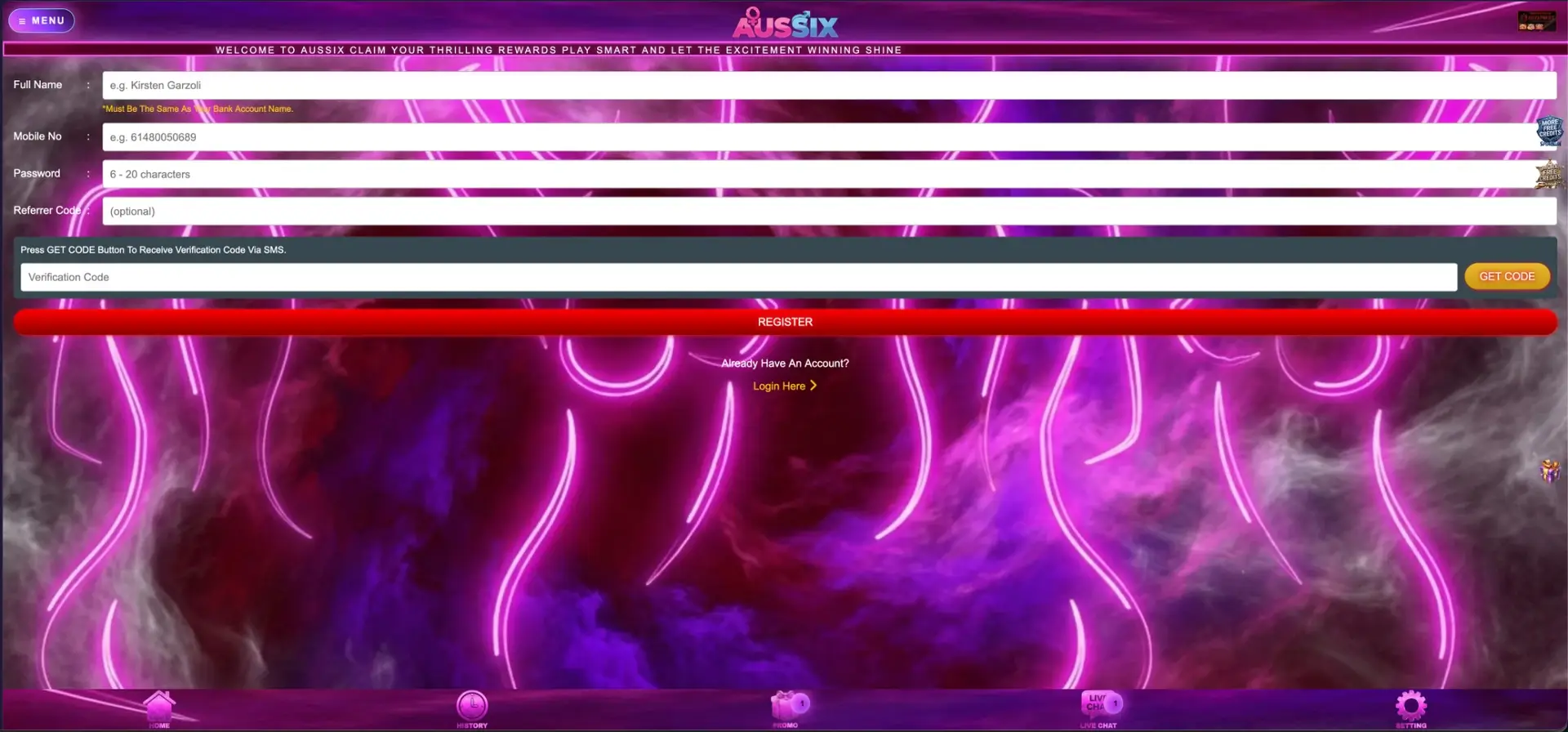
AusSix ties each account to one mobile number and one full name that must match the bank account used for payouts. A second account on another number does not solve a lost password: it cannot receive payouts to the same bank account without a name conflict, and duplicate accounts break promotion rules. Daily cards such as the 20% first deposit bonus, the AUD 125 in red packets and the 150 Booongo free spins are limited to one claim per person, so duplicates can lead to both accounts losing their bonuses. Recovering the original account is always the faster route.
Inside the account
Once signed in, the main tools are spread between the balance panel and the bottom bar. Each section shows a different part of the account.
| Section | What it shows or does |
|---|---|
| Balance panel | AUD balance, Deposit (from AUD 10), Withdraw (from AUD 30), Refresh |
| History | Deposits, withdrawals and their statuses, claimed rewards |
| Promo | All promotion cards with Claim buttons |
| Live Chat | Support conversation |
| Setting | Account settings |
| Share / Downline | Referral link, invited players and the 5% weekly commission |
The Refresh button is worth using after a game session: it updates the balance figure before a withdrawal request, so the amount entered matches what is really available.
When verification is requested
The first withdrawal triggers a check that the name on the bank account matches the Full Name entered at registration. AusSix may ask for a photo ID and proof of the bank account at that stage.
- The ID shows all four corners and is readable.
- The name matches the registration name letter for letter.
- The bank document shows the holder's name and the account number.
A mismatch - a nickname at sign-up, a missing middle name, a joint account - is the most common reason a first AUD 30+ payout waits. Correcting it through Live Chat before the first request saves time.
Questions and answers
These are the questions that come up most often around AusSix login and account access.
What do I enter in the AusSix login field?
The mobile number used at registration in 614XXXXXXXX format, or the username, plus the 6–20 character password.
Where is the AusSix login button?
In the balance panel on the right of the lobby next to Register; on mobile it is also reached through the Menu.
How do I reset my AusSix password?
Tap Forgot Password under the login form, enter the registered mobile number, confirm the SMS code and set a new password.
What if my number has changed?
Contact Live Chat with the full name and bank details on the account; the SMS reset only works with the original number.
Can I open a new account instead of recovering the old one?
No. One account per person is the rule, and a duplicate can lead to bonuses being cancelled on both accounts.
Why does AusSix not open at the usual address?
Casino domains in Australia change when providers block them. Live Chat or the official Telegram channel confirms the current address.