
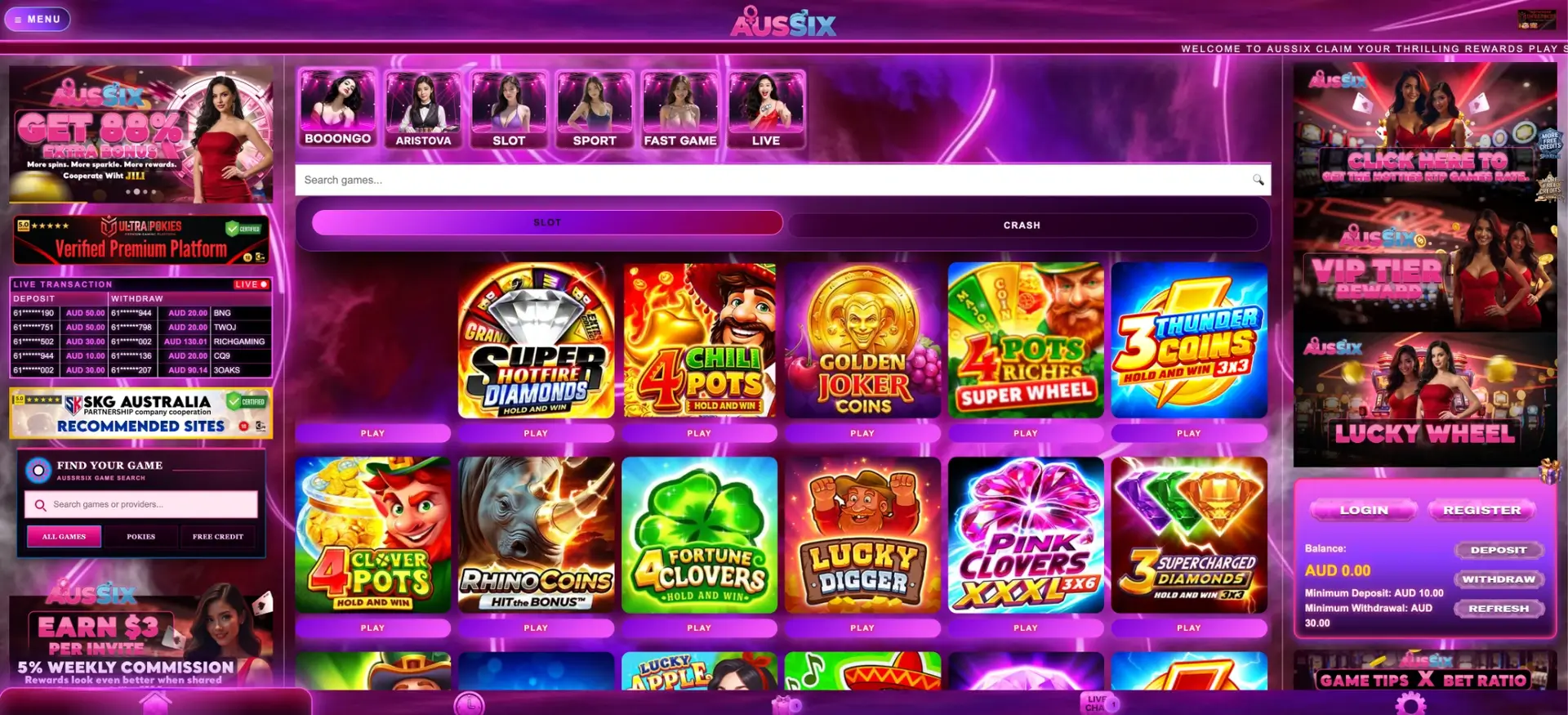
The AusSix app experience runs in the mobile browser on Android and iOS: the site opens in Chrome or Safari, adds to the home screen as a one-tap shortcut and needs no installation. The mobile version keeps the same AUD balance, the same AUD 10 minimum deposit and AUD 30 minimum withdrawal, and the same promotion cards, including 150 daily Booongo free spins and the 20% daily first deposit bonus.
The mobile layout is designed for phones first, and every desktop function has a place on the small screen.
| Function | Desktop | Mobile browser |
|---|---|---|
| Login and registration | Balance panel on the right | Balance panel or Menu |
| Deposit / Withdraw | Balance panel | Balance panel, same AUD 10 / AUD 30 thresholds |
| Promotions | Promo tab | Promo tab in the bottom bar |
| Transaction history | History tab | History tab in the bottom bar |
| Support | Live Chat | Live Chat in the bottom bar |
| Games | Full lobby | Full lobby with search and filters |
Because both versions share one account, a deposit made on a laptop is available on the phone straight away, and a promotion claimed on the phone shows in the desktop history.
AusSix app: current status
AusSix is played through the browser rather than a store app. Apple's App Store and Google Play in Australia do not carry real-money online casino apps, because online casino games are not licensed in Australia. A file offered as an AusSix APK should only be installed from a link confirmed in Live Chat, and never from a message, ad or third-party site. A home screen shortcut gives the same one-tap access without any download.
Opening AusSix on a phone
The first visit takes a minute, and the address only needs to be saved once.
- Open Chrome on Android or Safari on iPhone.
- Enter the AusSix address or open it from a link confirmed in Live Chat.
- Tap Login, or Register for a new account.
- Sign in with the mobile number in 614XXXXXXXX format and the 6–20 character password.
- Bookmark the page and add it to the home screen.
Shortcut on the home screen
A home screen shortcut opens AusSix in full screen, much like an installed app, and avoids typing the address each time.
iPhone and iPad
On iOS the shortcut is created from Safari's share menu.
- Open AusSix in Safari.
- Tap the Share icon at the bottom of the screen.
- Choose Add to Home Screen.
- Keep the name AusSix and tap Add.
Android
On Android the shortcut is created from Chrome's menu.
- Open AusSix in Chrome.
- Tap the three-dot menu at the top right.
- Choose Add to Home screen.
- Confirm the name and tap Add.
If the casino address changes, the old shortcut stops working. Deleting it and creating a new one from the confirmed address fixes the problem.
Mobile cashier
The cashier on mobile is identical to the desktop one: the same buttons in the balance panel and the same thresholds. Payment methods and their limits are listed in the Deposit and Withdraw tabs.
| Parameter | Value on mobile |
|---|---|
| Minimum deposit | AUD 10 |
| Minimum withdrawal | AUD 30 |
| Payout destination | Bank account in the registration name |
| Currency | AUD |
| Balance update | Refresh button in the balance panel |
On a phone, it is easy to request a withdrawal before the balance updates after a game. Tapping Refresh first makes sure the amount entered matches the real balance.
Promotions on mobile
The Promo tab in the bottom bar holds every card available on desktop. Daily rewards are the easiest to claim on a phone.
- Booongo Daily Free Spins - 150 spins at AUD 0.20, AUD 30 in nominal stakes a day.
- Daily First Deposit - 20% on the first deposit of the day.
- Daily red packets - AUD 5, 10, 20, 30 and 60, or AUD 125 in total.
- Lucky Wheel - a minigame card in the Minigame Special block.
- Referral tools - Share, Copy Link and Downline for the AUD 3 per invite reward.
Data and connection
Different sections need different connections. Pokies use little data, while live dealer tables stream video continuously.
| Section | Connection needed |
|---|---|
| Pokies | Standard 4G; the game loads once and then uses little data |
| Crash and fast games | Stable 4G; rounds last seconds, so lag matters |
| Live dealer tables | Strong 4G, 5G or Wi-Fi for video |
| Live sports betting | Stable connection; odds change in real time |
| Cashier and promotions | Any connection |
A dropped connection during a pokies spin does not cancel the result: the round is settled on the server and the outcome shows in the game history after reloading.
Sending verification documents from the phone
The first withdrawal of AUD 30 or more includes a check that the bank account name matches the registration name. A phone camera is the quickest way to send the documents.
- Photograph the ID on a flat, dark surface in good light.
- Keep all four corners in the frame and the text readable.
- Check that the name matches the Full Name on the account.
- For proof of bank account, use a statement or banking app screen showing the holder name and account number.
- Send the files through Live Chat or the channel support names.
Mobile security
A phone holds both the casino login and the SMS codes that protect it, so a few habits keep the account safe.
- Lock the phone with a PIN, fingerprint or face unlock.
- Open AusSix only from the home screen shortcut or a saved bookmark.
- Never share the SMS verification code with anyone.
- Do not install APK files from links in messages or ads.
- Avoid signing in over public Wi-Fi without a secure connection.
Questions and answers
The answers below cover the most common questions about the AusSix app and mobile play.
Is there an AusSix app on the App Store or Google Play?
No. AusSix is played in the mobile browser, and a home screen shortcut works like an app.
Is the AusSix mobile cashier the same as on desktop?
Yes. The same AUD 10 minimum deposit, AUD 30 minimum withdrawal and payment methods apply.
Can I claim AusSix bonuses on my phone?
Yes, every card in the Promo tab is available on mobile, including the 150 daily Booongo free spins.
How do I add AusSix to my home screen?
In Safari, tap Share and Add to Home Screen; in Chrome, open the menu and choose Add to Home screen.
How much data do AusSix pokies use?
Little after the game loads; live dealer tables use far more because they stream video.
What if the AusSix shortcut stops opening?
The address has likely changed. Confirm the new one in Live Chat or the official Telegram channel and create a new shortcut.